How to get more Google reviews and reply to them well: a simple system for UK businesses
Most happy customers never leave a review, not because they don’t want to, but because nobody asked at the right moment. This guide gives you a simple, repeatable system for how to get more Google reviews: when to ask, how to make it easy with links, QR codes and follow-up messages, and ready-to-use templates for replying to both good and bad reviews. It also covers what you must not do, so your profile stays on the right side of Google’s rules and UK law.
Why Google reviews matter for a local business
When someone searches for a plumber in Leeds or a café in Bristol, your Google Business Profile (the listing that shows on Google Maps and in local search results) is often the first thing they see. Your star rating, the number of reviews and how recent they are all shape whether they call you or the business next to you.
Google says that review count and rating are among the factors it considers for local ranking, alongside relevance, distance and prominence. Reviews are not a magic switch, but they are one of the few local ranking signals you can steadily improve yourself. If you want the wider picture, our local SEO checklist for UK businesses covers the other pieces.
- Trust: a steady stream of recent reviews shows you are active and reliable.
- Visibility: reviews can help your profile appear more often in local results.
- Feedback: reviews tell you what customers value and where you fall short.
- Words that sell: customers describe your work in their own language, which often matches what other people search for.
When to ask: pick the right moments
Timing does most of the work. The best moment to ask is when the customer has just experienced the result and is still feeling good about it. Wait a fortnight and the job has faded from their mind.
- Trades: when the job is finished and the customer has seen it working, for example the boiler is back on or the new kitchen tap is fitted.
- Professional services: after a milestone, such as a completed tax return, a signed lease or a finished project.
- Hospitality: as the bill is paid, or the morning after a stay or event.
- Retail and e-commerce: a few days after delivery, once the customer has had a chance to use the product.
- Repeat customers: after a visit where they have said something positive in person.
Ask every customer, not just the ones you think will be pleased. This matters for fairness and, as we cover below, for staying within Google’s policies. A consistent habit beats an occasional big push.
How to ask: links, QR codes and follow-up messages
The fewer taps it takes, the more reviews you will get. Your aim is to send people straight to the review box, not to a search results page where they have to find you first.
1. Get your direct review link
In your Google Business Profile, look for the option to ask for reviews or share a review form. Google gives you a short link that opens the review box for your business. Save it somewhere easy to copy, such as a note on your phone or a saved reply in your email.
2. Turn the link into a QR code
A QR code lets customers scan with their phone camera and land on the review form. You can create one from your review link using a reputable QR code generator, then print it on:
- A small card left with the invoice or receipt
- A counter or table sign in a shop or café
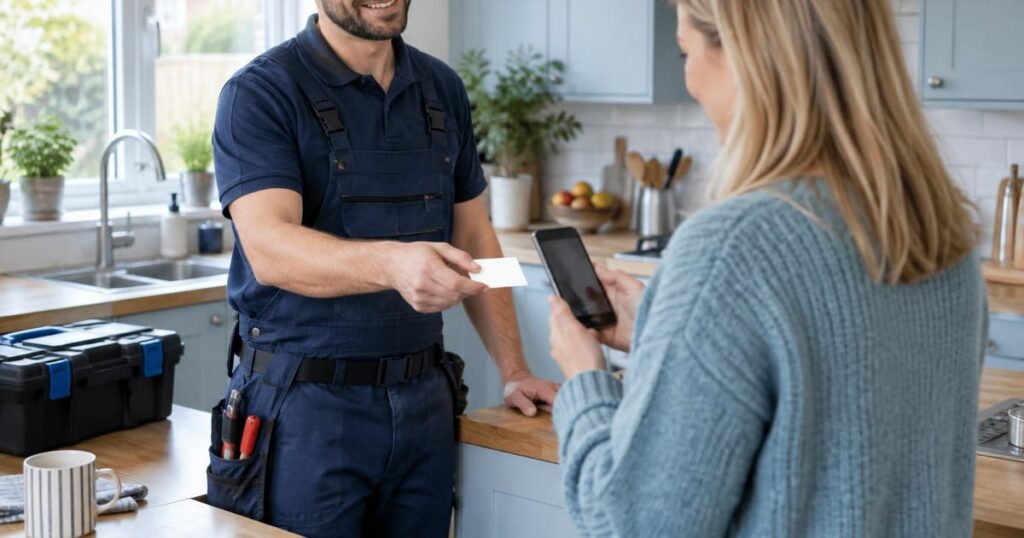
- The back of a business card handed over at the end of a job
- Packaging inserts for online orders
Test the code on a couple of different phones before printing a batch, and add a short line such as “Tell us how we did” so people know what it is for.
3. Send a short follow-up message
An in-person ask followed by a text or email the same day works well, because the link is right there when they have a spare minute. Keep it personal, short and neutral. Here is a template you can adapt:
“Hi Sarah, thanks for choosing Dan’s Plumbing today. We’d really value your feedback on how we did. It only takes a minute and it helps other local people find us: [review link]. Thanks, Dan”
If they don’t respond, one gentle reminder a few days later is fine. More than that starts to feel pushy. Many booking, invoicing and CRM tools can send these messages automatically once a job is marked complete, and our guide to lead generation automation explains how that kind of workflow fits together.
Turn your reviews into content that ranks
Your customers already describe what you do best. We help UK businesses turn that into regular, search-friendly content for their website and Google profile, written in plain British English and checked by our UK-based team.
What not to do: incentives, fake reviews and review gating
It can be tempting to speed things up, but some shortcuts break Google’s rules and can also break UK consumer law. Google may remove reviews or restrict your profile, and the legal risks are more serious.
- No incentives: don’t offer discounts, freebies, prize draws or money in exchange for reviews. Google’s policies prohibit this.
- No fake reviews: don’t write reviews yourself, ask staff, friends or family to pose as customers, or buy reviews from anyone.
- No review gating: don’t screen customers first and only send the review link to the happy ones. Google’s policies say you should not selectively ask for positive reviews.
- No reviewing competitors: leaving negative reviews on a rival’s profile is against the rules and can be unlawful.
In the UK, fake reviews and hiding incentivised reviews are treated as unfair commercial practices under consumer protection law, and the Competition and Markets Authority (CMA) has powers to take action. This is a general overview, not legal advice, so check the CMA’s guidance on gov.uk if you are unsure whether something you do is allowed.
How to reply to reviews well, with templates
Replying shows potential customers that a real person runs the business and cares about the outcome. Aim to reply to every review, good or bad, within a few days. Keep replies short, use the customer’s first name if they have shared it, and mention the specific service where it feels natural.
Replying to positive reviews
Thank them, refer to something specific they mentioned, and keep it warm without overdoing it.
“Thanks so much, James. We’re glad the new consumer unit was fitted quickly and that the team left everything tidy. Give us a shout if you ever need anything else.”
“Thank you, Priya. It was lovely having your family in for Sunday lunch, and we’ll pass your kind words about the roast on to the kitchen.”
Replying to negative reviews
Take a breath before you reply. Your answer is written for future customers as much as the reviewer. Stay calm, acknowledge the problem, avoid arguing over details in public, and offer a way to put it right offline.
“Hi Mark, thank you for letting us know, and I’m sorry the job ran later than we said. That isn’t the standard we aim for. I’d like to understand what happened and put it right, so please call me on [number] or email [address]. Dan”
- Don’t share private details: never mention prices, addresses or personal information about the customer in a public reply.
- Don’t get defensive: even if you disagree, a measured reply reads far better than a point-by-point rebuttal.
- Flag genuine abuse: if a review is fake, offensive or clearly about a different business, you can report it through your profile for Google to assess. You cannot delete reviews yourself.
Make it a weekly habit
The businesses with lots of reviews usually aren’t doing anything clever. They just ask every time and reply every week. Pair this with regular updates to your profile, such as the routine in our weekly plan for Google Business Profile posts, and your listing will look active and trustworthy.
Your review system: set it up this week
- Copy your direct review link from Google Business Profile and save it
- Create a QR code from the link and test it on two phones
- Print review cards or a counter sign with a short call to action
- Write your follow-up text or email template and save it
- Agree with your team that every customer gets asked, not just the happy ones
- Remove any offers that reward customers for leaving reviews
Every week (15 minutes)
- Reply to every new review, positive or negative
- Follow up once with anyone who hasn’t had a reminder
- Note any repeated praise or complaints and share them with the team
- Report any reviews that clearly break Google’s policies
Next steps
Getting more Google reviews comes down to three things: ask at the right moment, make it effortless with a direct link or QR code, and reply to everything with care. Stay well clear of incentives, fake reviews and only asking happy customers, as these can cost you far more than they gain.
Start small this week by saving your review link and sending it to your last five customers. Once the habit is in place, you can automate the follow-up messages and use the language in your reviews to shape your website content, which is something our AI-powered SEO content service can help with.
Want more local customers finding you on Google?
Book a free strategy call and we’ll look at your Google Business Profile, your reviews and your website content, then suggest practical next steps. We reply to enquiries within 24 hours on business days, with no long-term contracts.